What if your AI assistant could do more than just answer questions, and also have direct access to the knowledge and information within your organisation?
Think of project updates, company documentation, HR information and internal knowledge. Instead of searching through different systems and documents yourself, you simply ask your AI agent a question. It retrieves the relevant information from your applications and turns it into a useful answer.
With MCP (Model Context Protocol), this is possible in a reliable, secure and controlled way. MCP provides a standardised way to connect AI agents to external data sources and applications.
In this blog, I'll use a Proof of Concept in to demonstrate how to implement an MCP server in Drupal, using OpenLucius as the data source. I'll connect the server to Claude and show how you can access information from your teamwork platform using natural language.
Theory and a working concept:
From AI hype to practical applications
An MCP server? What kind of AI thing is that now?
A lot is happening in the world of AI. But in my opinion, things only get really interesting when AI gets access to information that is already available within your own organisation.
And don't worry: you can keep all information within your own environment, without it leaking to external AI services, systems or anything like that.
Anyway, imagine being able to ask your AI assistant questions such as:
- Company documentation: What are our remote working agreements? Where is our policy on handling customer data documented?
- HR: What is our parental leave policy? How many vacation days do I have?
- Projects: Which projects are currently falling behind schedule? What are the main outstanding action points for project X?
- Internal knowledge: Have we worked on a similar project before? What did we learn from it?
- Teams and collaboration: What decisions have been made over the past month? What are the main developments within the Marketing team?
Instead of searching through documents, project management tools and other systems yourself, you simply ask a question. The AI agent retrieves the relevant information from the available company sources and turns it into an understandable answer.
That's the power of AI combined with your own data. And that's exactly where MCP comes in.
MCP is a generic protocol that can be integrated into any system. So it's not dependent on Drupal; it can also be used with your own systems.
Okay, but what exactly is MCP?
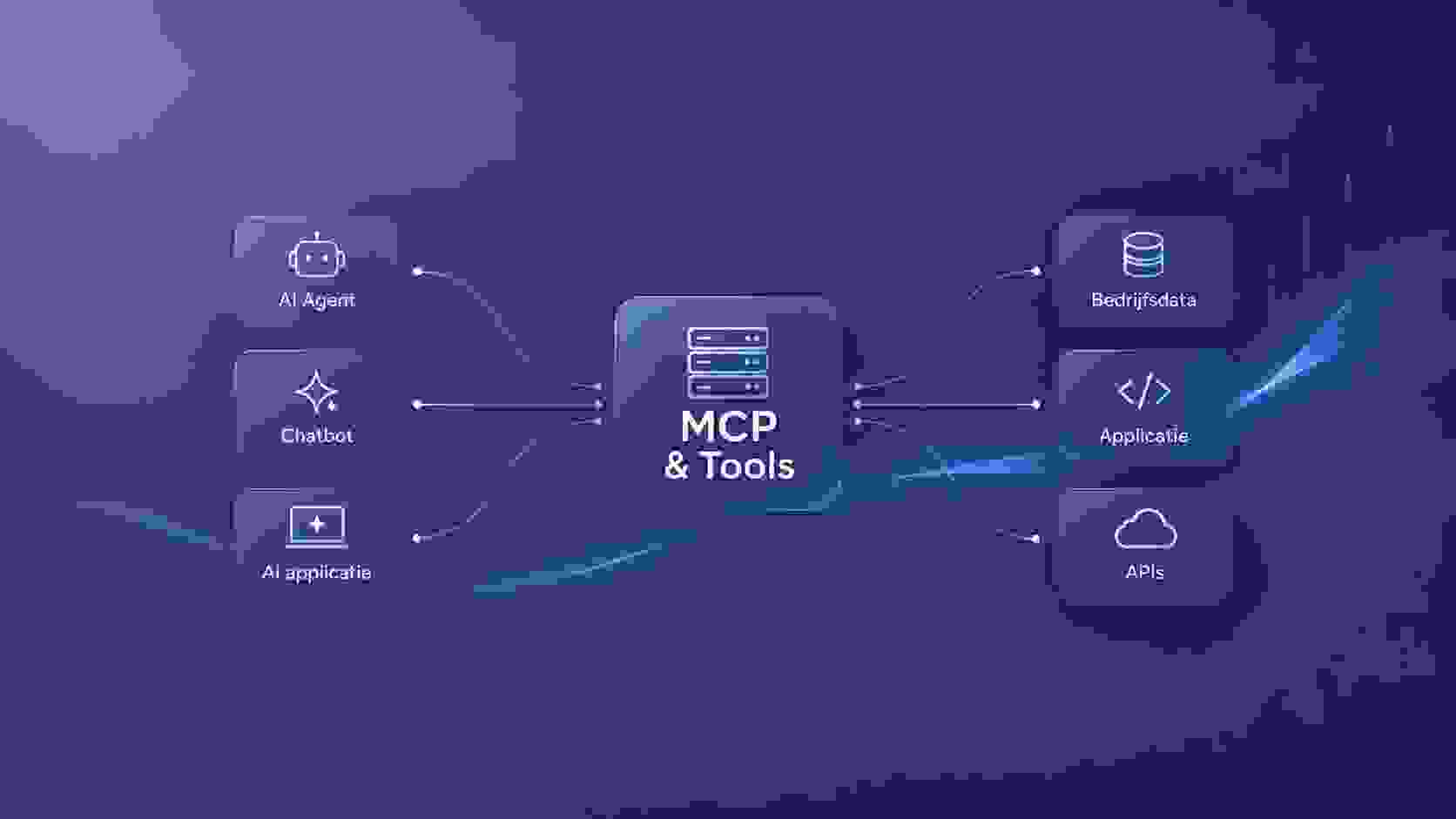
MCP stands for Model Context Protocol. It is an open protocol that allows AI applications to connect to external data sources, tools and applications.
The protocol was originally developed by Anthropic and made publicly available on 25 November 2024. By now, virtually all major AI companies have adopted this standard.
More information: https://modelcontextprotocol.io
The idea is relatively simple: instead of building a separate integration for every AI application, MCP provides a standardised way for AI models to access external systems.
You can think of it as a universal layer between AI and your applications. This allows AI agents to work with the same data sources and functionalities as the applications themselves.
You can also decide which AI agent you want to use. ChatGPT, Claude, or even Slack or your own custom AI agent.
What can you do with it?
The possibilities are quite broad. Here are a few examples:
- Analyse company data: AI chatbots can connect to different databases within an organisation. Employees can then ask questions about that data through chat.
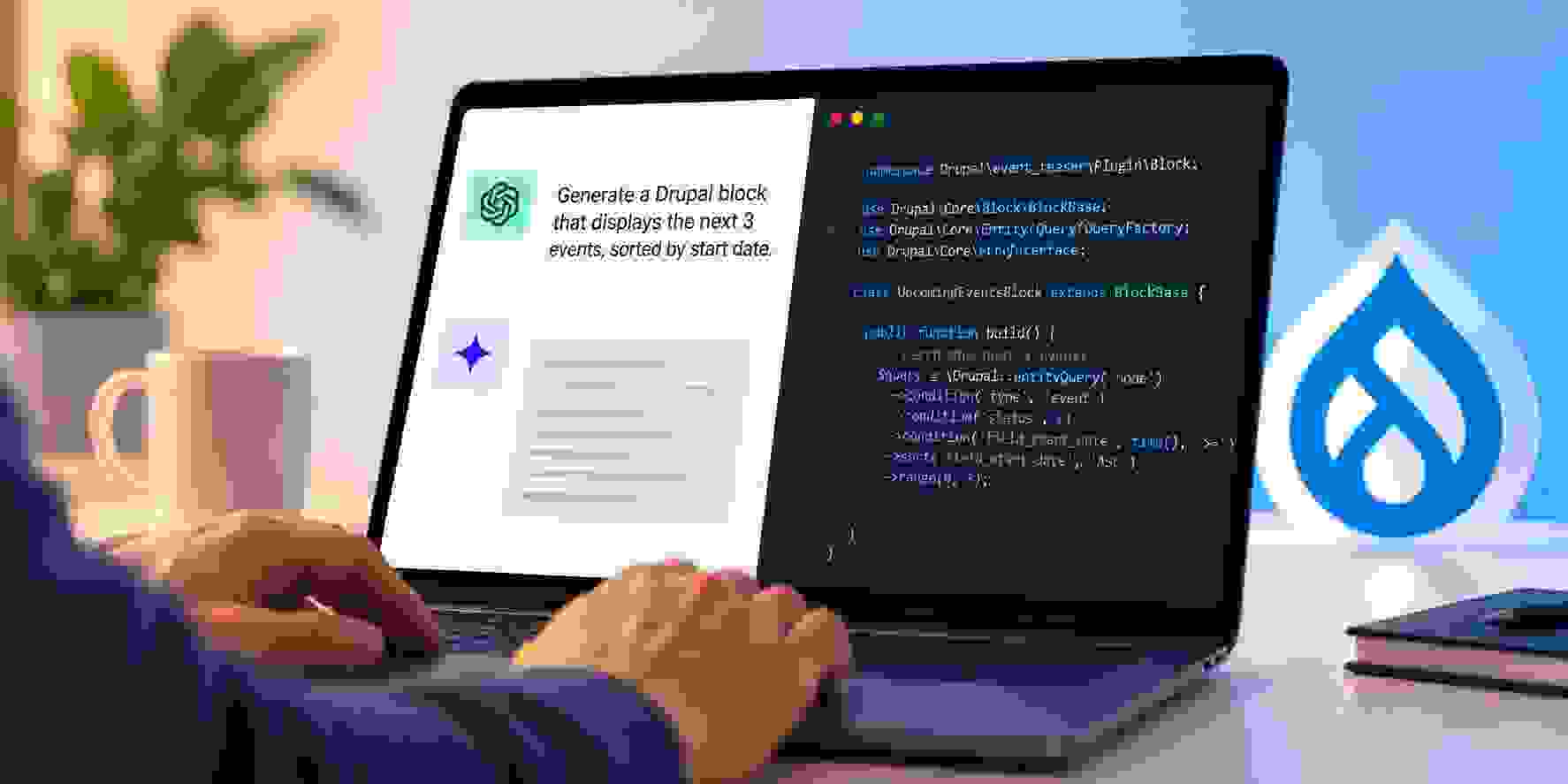
- Create content: You can use an agent in Slack, Claude Desktop, Claude Code or ChatGPT Desktop to create content in a connected system. You can also use your own agent if you don't want to send data to external AI services.
- Personal AI assistant: Agents can access tools such as Google Calendar and Notion, allowing them to provide much more personalised assistance.
- Development: As a developer, you can configure and develop systems using prompts. In Drupal, for example, this could include setting up content types, taxonomies and fields.
MCP Server versus CLI
Of course, you can also work directly with AI agents through a command-line interface (CLI). However, there is a huge difference.
MCP makes things much more accessible for non-technical users. You configure the connection in an existing AI agent and can then communicate directly with your application.
Using a CLI is a completely different story. It's much more technical and also gives agents access to all kinds of commands that not every user understands. The consequences of this freedom can be significant.
An MCP server implementation defines all roles and permissions for people using an AI assistant, allowing them to go all out without breaking anything.
One thing to keep in mind: make sure you have proper monitoring of all AI activities. You never know how an AI agent might find its way into unexpected actions. Backups are also essential.
Building a PoC: MCP server implementation in OpenLucius
For this PoC, I'm using OpenLucius, a Drupal distribution for teamwork.
My goal is to be able to ask an AI agent questions about the data in the platform. For example:
Show me all updates from the last 7 days across all project groups.
For now, I'm doing this locally, using test content. This allows me to investigate how the connection works and what information I can retrieve from Drupal.
If you want to set this up remotely, for example in a production environment, you'll also need to deal with things like OAuth and additional configuration. I'll cover that in a follow-up post.
The Drupal MCP Server
There is an MCP Server module available for Drupal. It allows Drupal content and configuration to be exposed through an MCP server, enabling external AI clients to use the available functionality.
There are two transport protocols:
1. STDIO transport
STDIO stands for Standard Input/Output. With this approach, the MCP client starts the MCP server as a local subprocess on the same machine.
2. HTTP transport
With HTTP transport, the Hypertext Transfer Protocol is used to exchange messages and calls between the client and server.
This is generally the transport method you'll use in production environments. You'll need to consider things like OAuth and additional configuration.
--
For this PoC, I'm working entirely locally. That's why I'm using STDIO.
Tools: what is the AI agent actually allowed to do?
An MCP server on its own isn't enough. The AI agent also needs to know which functionalities are available and what it can do with them.
That's where the Drupal Tool API module and its accompanying modules come in.
Tool API
https://www.drupal.org/project/tool
The Tool API works together with MCP, but can also be used independently. It allows you to define tools that specify which actions are available.
MCP Server Tool Bridge
https://www.drupal.org/project/mcp_server_tool_bridge
This module connects the Drupal Tool API to the MCP server.
Tool belt
https://www.drupal.org/project/tool_belt
This module provides a number of actual tools that can be made available through the MCP server, such as content moderation, users and configuration. It also includes tools for configuring content types, fields and other site-building functions.
It's quite extensive. A large number of Drupal functionalities can be made available through the MCP server, and therefore to the AI agent.
Installation and configuration
For this local test environment, I'm using DDEV. For this PoC, I'm installing the following modules in Drupal:
- mcp_server
- mcp_server_tool_bridge
- tool
- tool_belt
- tool_belt_content
- tool_explorer
- mcp_server_tool_bridge
There are many more possibilities within Tool Belt, but this is sufficient for testing the initial connection.
Testing the MCP server
After installation of mcp_server module, it's ready to go. No initial config needed locally.
To check whether the MCP server is actually working, I'm using the MCP Inspector. I start it with:
npx @modelcontextprotocol/inspector ddev drush mcp:server Administrator
(See also the module page)
Here I'm using Administrator (UID 1) as the user in my test installation. That's practical for a PoC, but for a production environment you'll need to implement a proper roles and permissions structure.
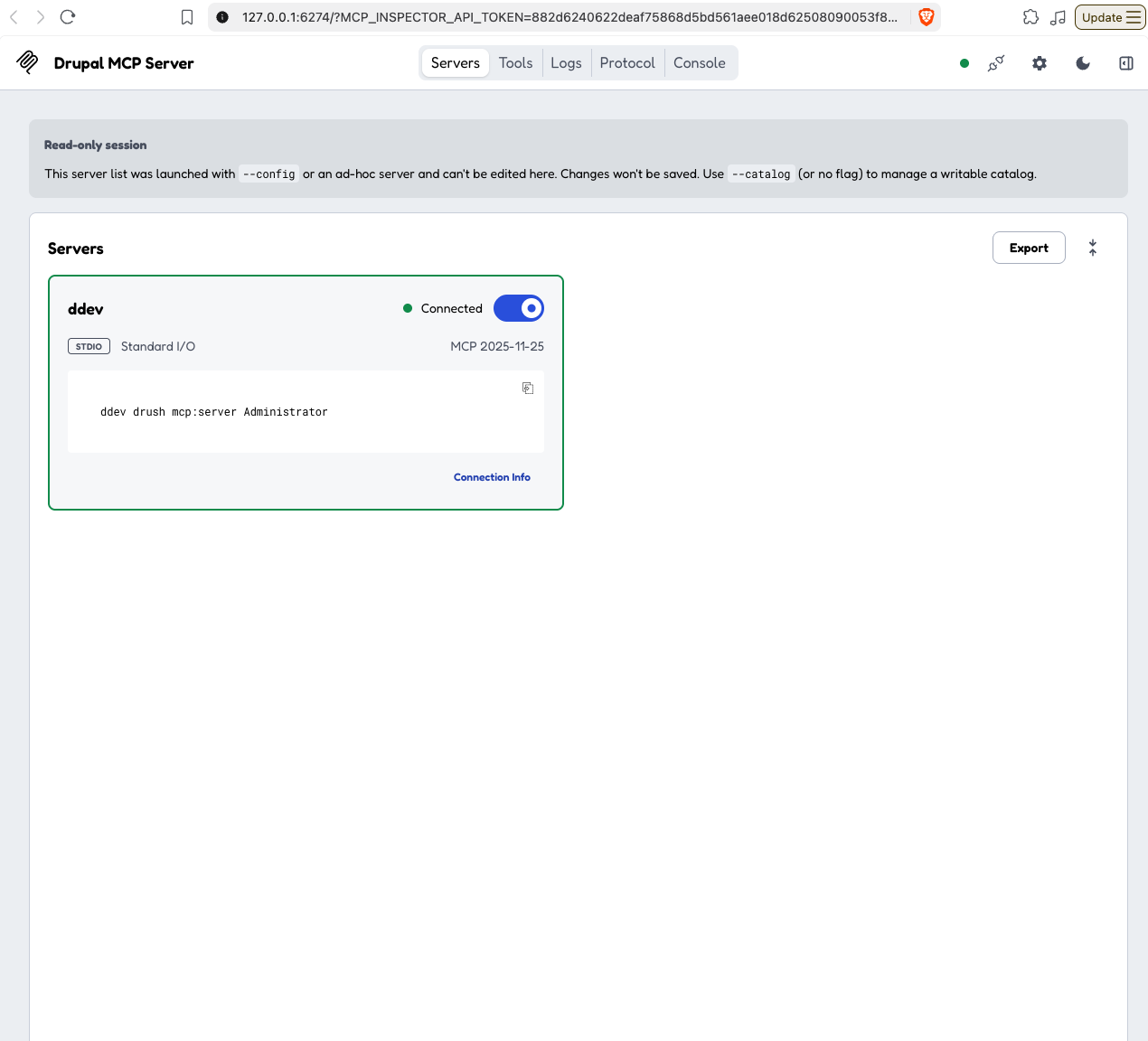
In the Inspector, I can see that the server is connected:
The Inspector also shows which tools are available. In my case, there is currently one tool: List entities.
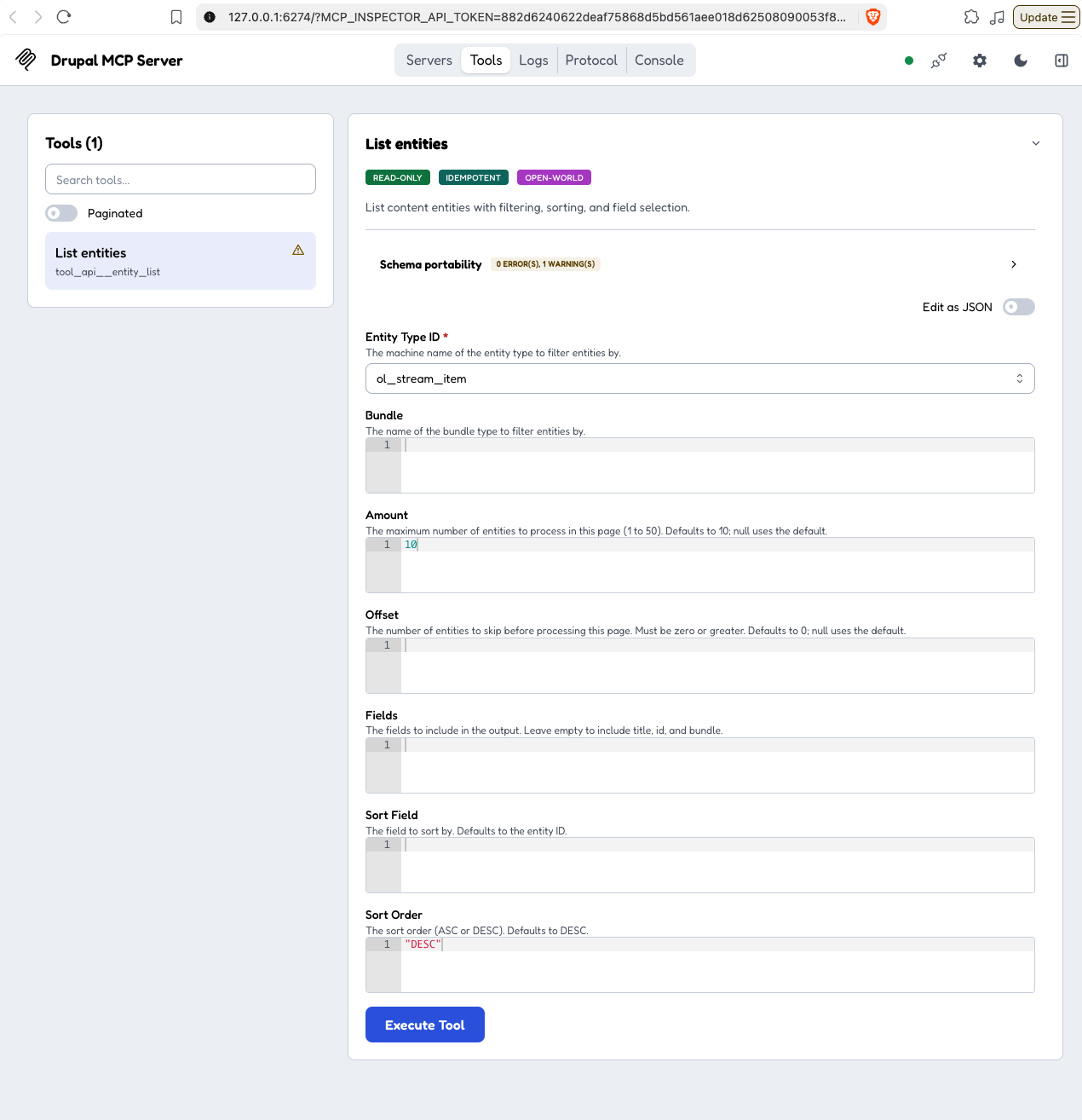
With this tool, I can retrieve Drupal entities and apply filters, sorting and specify which fields should be returned.
When I click the 'List entities' tool, I get results:
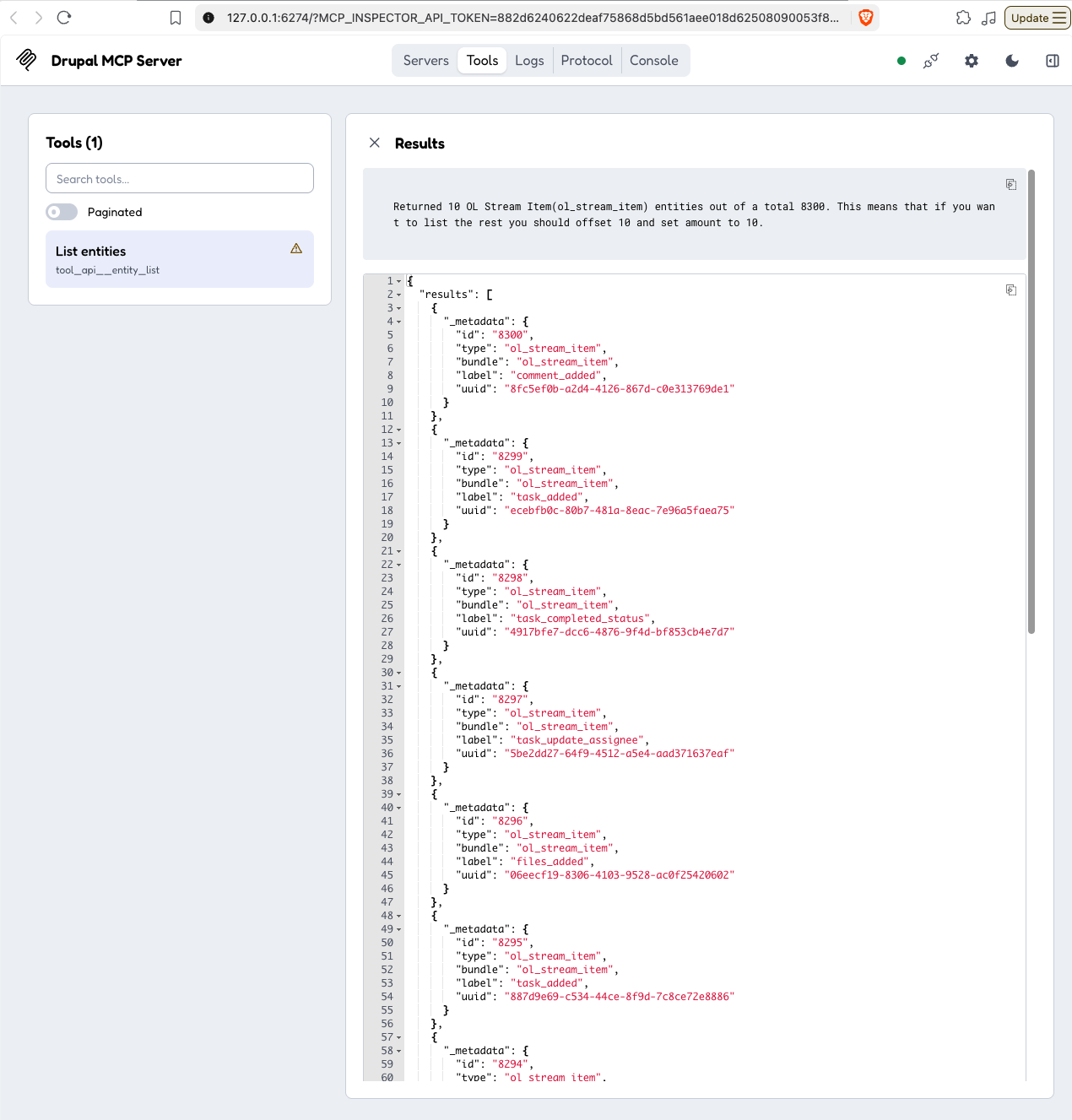
The tool supports various Drupal entity types, such as nodes, users and files, as well as OpenLucius entities.
My current concept only supports reading data, which is enough for now. So there are no tools available yet to create, modify or delete entities.
Connecting the Claude agent
Configure the MCP server in Claude. I did this with the help of the Claude agent.
(Thanks to Webwash for this.)
The result:
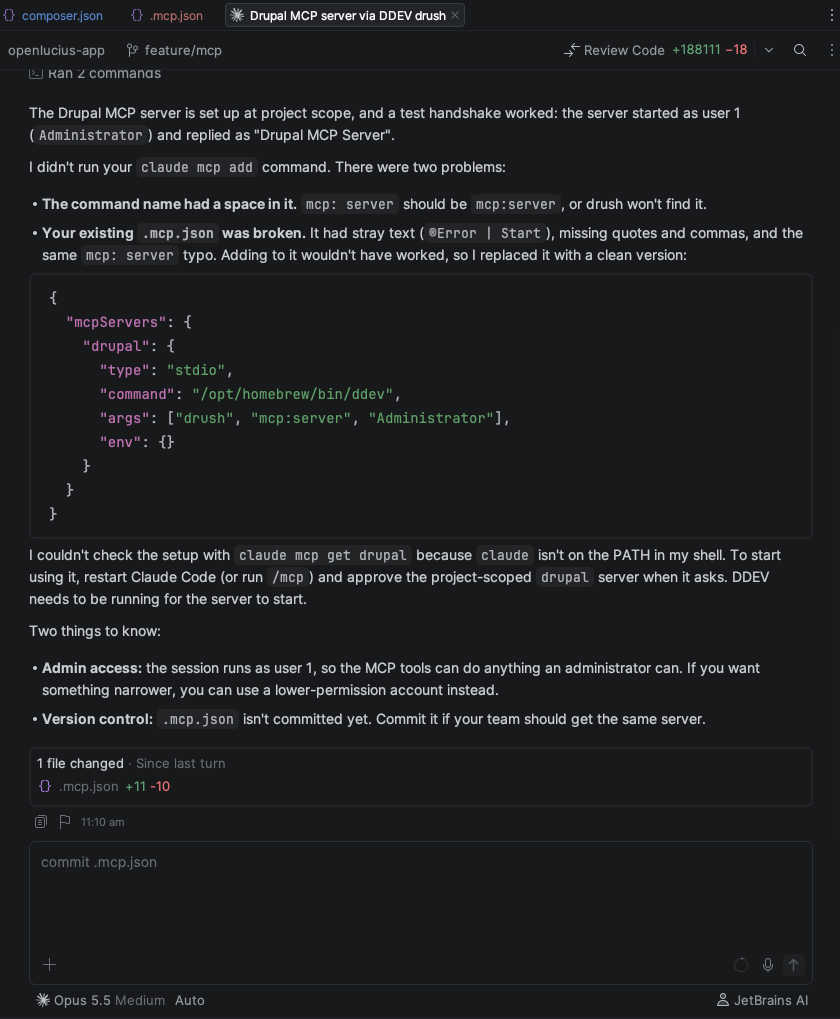
As you can see, my initial configuration wasn't quite right. Claude fixed it.
Check whether the tool is recognised in Claude using the /mcp command:
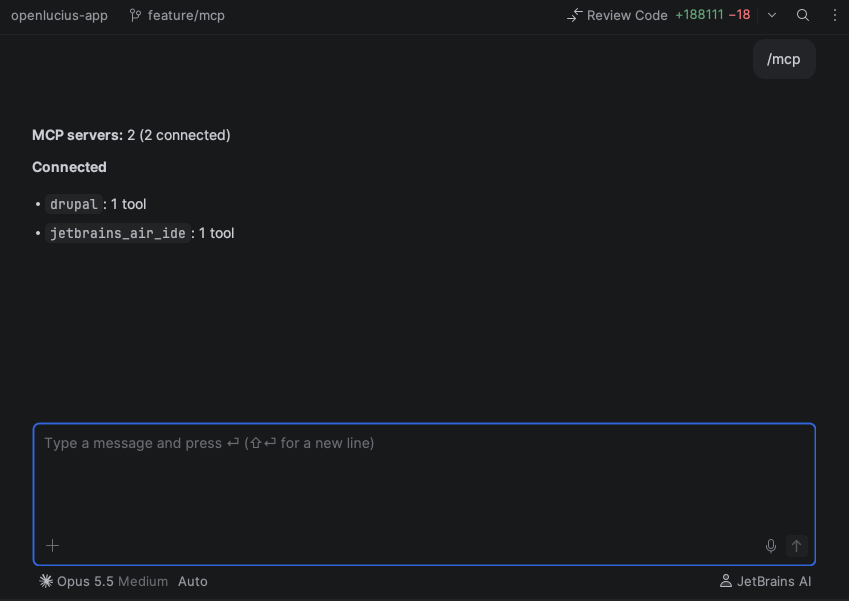
Great, the tool is now recognised by the Claude agent.
The result: chatting with your teamwork data
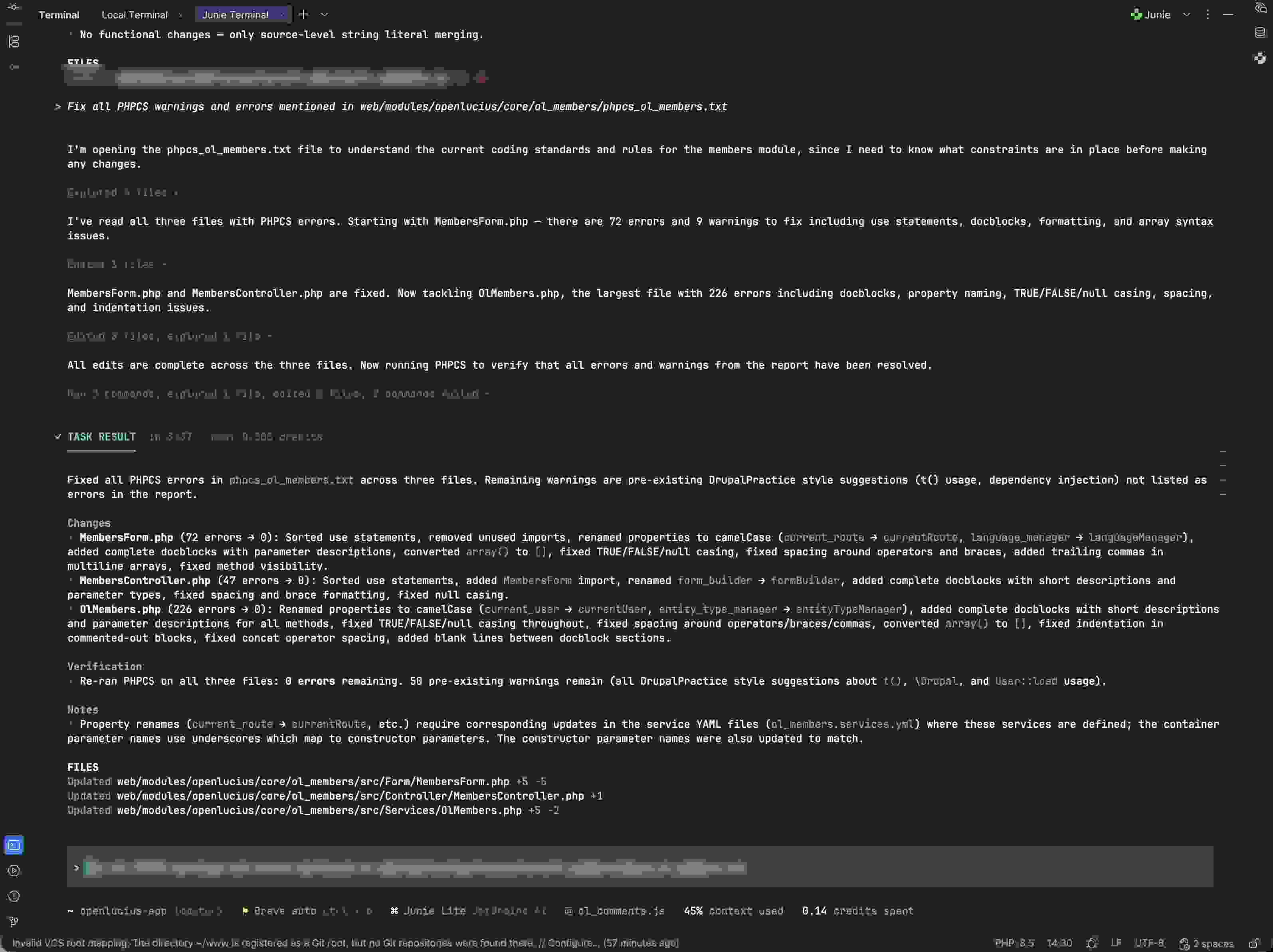
Now that the connection is working, things get interesting. I'm using Claude to call the available Drupal tools and ask questions about the data in OpenLucius.
A first test:
Show me the most recent updates.
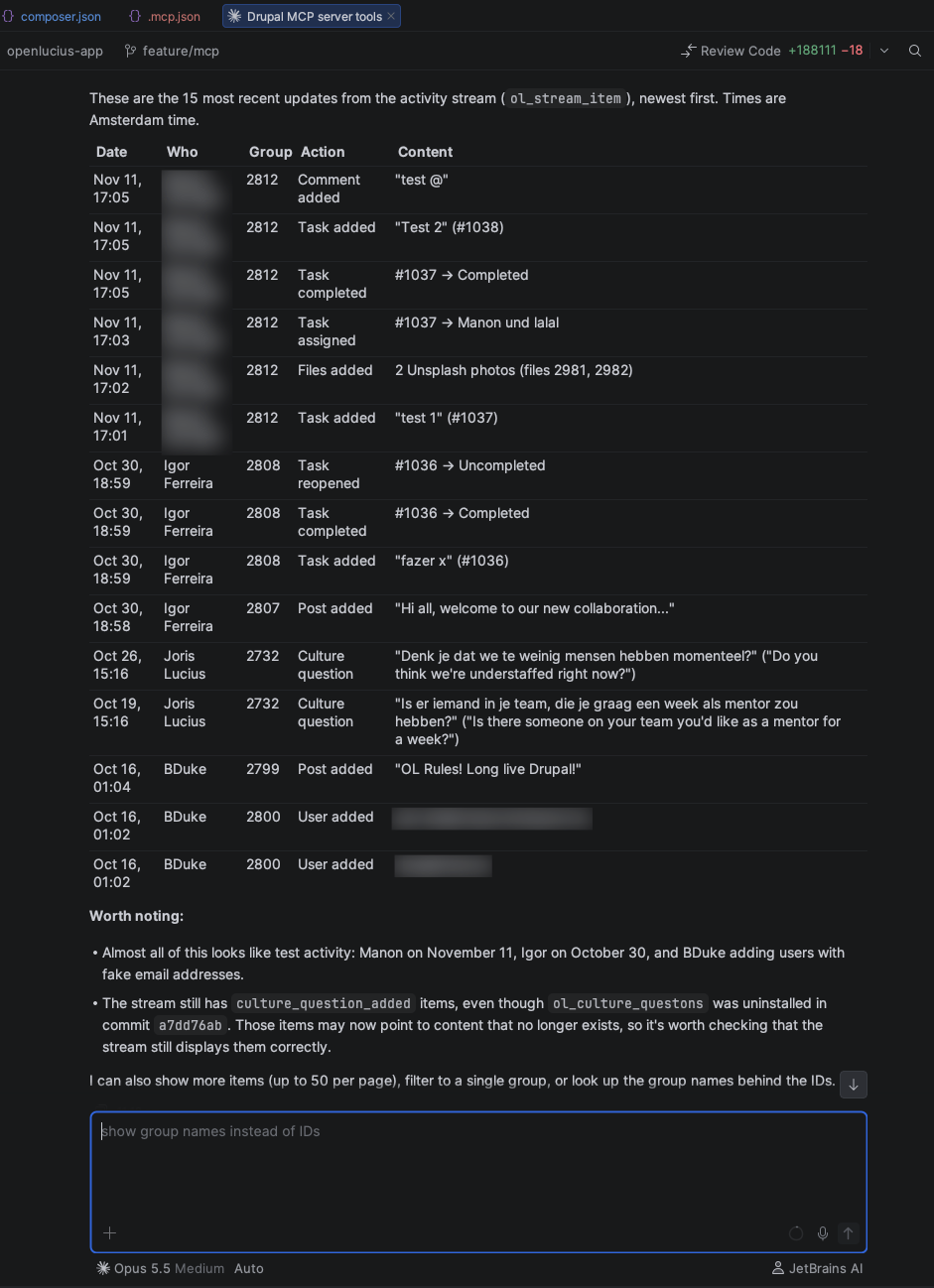
The agent uses the available tool to retrieve activity from the OpenLucius activity stream (ol_stream_item).
Claude then interprets the results and presents them in a clear overview.
This gives me insight into added tasks, completed tasks, comments and uploaded files, for example.
The great thing is that I don't have to figure out which Drupal entities and fields I need to query. I simply ask a question and the agent determines which available tool it needs.
It's amazing how much time this saves on custom queries, coordination, testing, etc.
And it also gives end users ultimate speed and flexibility.
This is, of course, just a first step. The current PoC is deliberately limited to reading data, but it clearly demonstrates how you can give an AI agent access to information within your own Drupal platform.
Which AI agent should you use?
For this test, I'm using Claude Code. But MCP is particularly interesting because it isn't tied to one specific AI application.
You can use different clients, including Claude Desktop, Claude Code and other applications that support MCP.
Don't want your organisation's data sent to external AI servers? Then you can also look into other privacy-focused agents and local solutions.
The MCP protocol isn't dependent on any specific AI provider. This gives you the freedom to decide which agent you want to use.
What about UTCP?
Besides MCP, there is also UTCP (Universal Tool Calling Protocol), which was introduced recently. More information: https://www.utcp.io/. Something to explore further at a later stage.
Finally
MCP is an interesting development for any organisation looking to get more value out of its own data.
Organisations have enormous amounts of information available, but that information is often spread across different systems. With MCP, you can make that information accessible to AI agents without having to build a separate integration for every application.
The first step with OpenLucius has been taken: a local Drupal MCP server that can retrieve and interpret information from the platform through Claude.
In a follow-up blog post, I want to explore a remote implementation, including OAuth and the required configuration. The possibilities for allowing the AI agent to perform more actions are also worth investigating. For example:
Add a task called "Update documentation" in our HR group.
The possibilities are there. Now it's mainly a matter of further development and determining how to put this into practice in a practical and secure way.