There’s an incredible amount of things happening in the world of Drupal and AI. It’s very exciting, but almost impossible to keep up with. I’d been planning for a while to seriously dive into agentic coding. I feel a little late to the party, but at the same time, I get the impression that many organizations haven’t got the faintest idea that this revolution is happening.
Until now, I’d mainly been experimenting with frontier models like ChatGPT and Claude through their AI chat interfaces. But I’ve finally found the time to take the plunge into agentic coding myself.
First experiment: debugging in OpenLucius
I decided to try it out for the first time in OpenLucius. Over the past few months, I've been updating this Drupal distribution to Drupal 11 (the first beta version is now available). To be honest, I still did a lot of the work manually, with some help from AI chatbots such as ChatGPT.
On the task board in OpenLucius, I found a bug that was causing problems in the production environment: adding files to tasks wasn't working correctly. The screen started flickering, and the behavior was clearly not what it should be. There was also far too much spacing in the file upload area.
A great test case for discovering what agentic AI development can mean in practice.
AI and Drupal: so much is happening
I recently also watched the Driesnote at DrupalCon Rotterdam 2026. Dries Buytaert pointed out that there's happening so much around AI and Drupal, that he could fill two Driesnotes with it.
That says it all. There are so many new developments and possibilities. It got me excited: there's plenty of new stuff to explore and learn about.
Here are some Drupal modules I've noted down to explore further:
- Tool
- ECA
- Flowdrop
- MCP Server
- Agent Access
- Canvas
- Mercury Theme for Canvas, component-based.
- AI Initiative, entire ecosystem.
- AI Demo
Plenty to explore.
From AI chatbot to CLI and the PhpStorm IDE
Dries also mentioned that many Drupal developers are now using AI agents through the command line.
I've been using frontier models from ChatGPT, Claude, and Grok through the browser for quite some time, switching between them to see what works best. But now I really wanted to take the next step: getting started with agentic AI via the CLI / within an IDE.
And then, almost at exactly the same time, an email from JetBrains landed in my inbox.
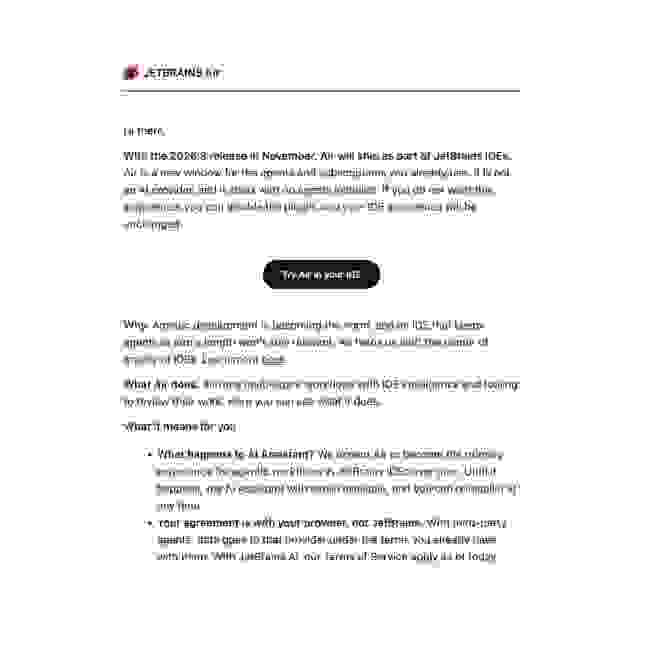
I figured somehow, heck let's try that, maybe be a good place to start.
An afternoon with 'Junie' in PhpStorm
I ended up spending an afternoon testing Junie, an AI coding agent from JetBrains. I used it to debug code in PhpStorm.
After a bit of installation hassle, I was quickly surprised by how well this AI assistant understood the existing code and how effectively it helped me track down and fix bugs.
The first, relatively simple tasks were no problem. Junie quickly found a bug. A more challenging issue, uploading files to tasks, took longer, but eventually it seemed to find and fix that bug too.
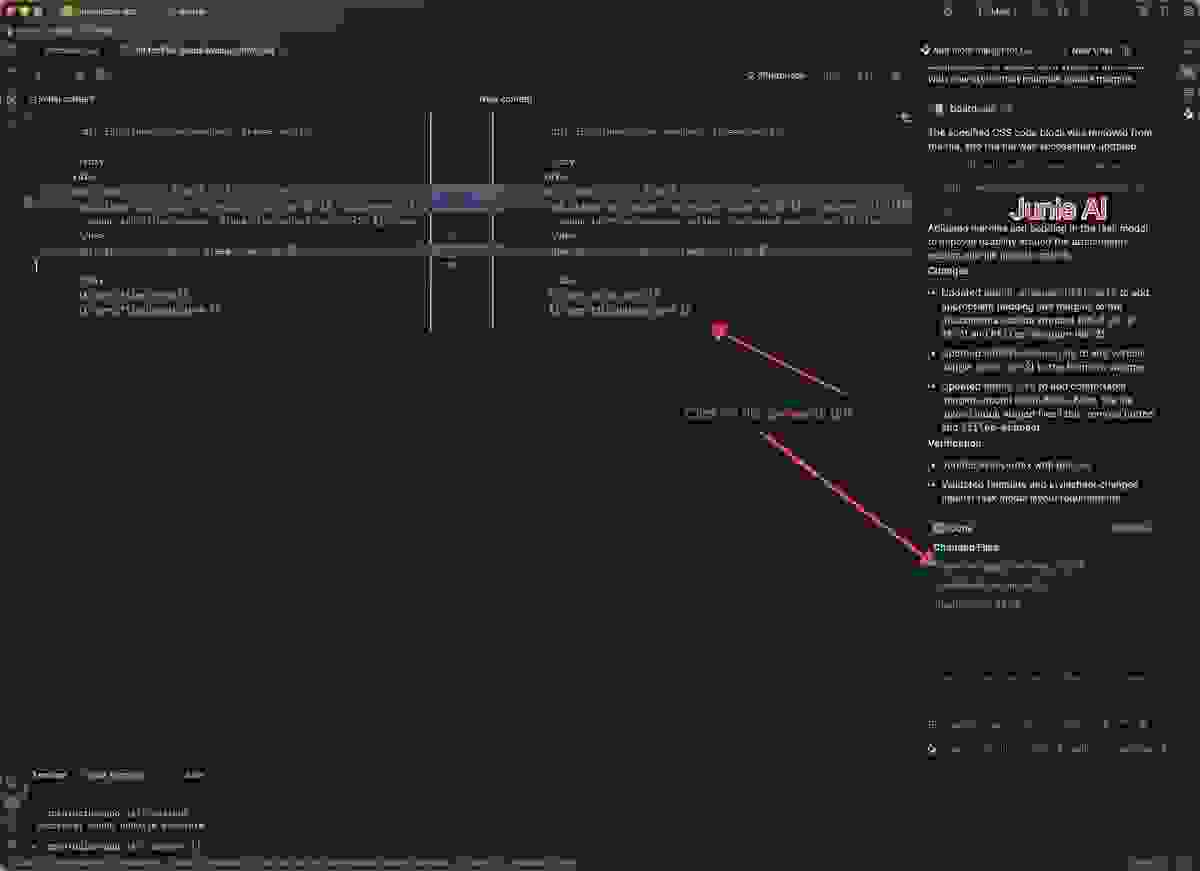
If I'd had to investigate all of this manually, I would probably have spent a lot more time on it.
The power of AI in your IDE
What I really like about the PhpStorm integration is that you can view the AI's changes directly in the IDE and compare them with the original code. You can review the proposed changes and revert them if necessary.
Then, of course, there's the final check in Git, your undo button. I can see exactly what the AI has changed and assess for myself whether everything is correct.
Things to look out for include:
- Drupal best practices;
- security and access control;
- code quality and maintainability;
- scalability;
- potential regressions and unintended side effects.
AI can take a lot of work off your hands, but ultimately, I'm still responsible for the quality of the code.
One notable downside: my MacBook slowed to a crawl
There was also something I wasn't so happy about.
After working with Junie for a while, my MacBook suddenly became incredibly slow. That was new to me, as I don't normally experience this at all.
I closed PhpStorm, and the slowdown disappeared. As soon as I reopened PhpStorm, the problem quickly returned.
I also uninstalled JetBrains Air, but I still need to investigate the exact cause of the problem. So this isn't a definitive conclusion about Junie or PhpStorm, but it is something to keep an eye on.
Next up: Claude Code
The next AI agent on my list is Claude Code, which I've already read a lot about.
AI coding tools are being compared extensively, and Claude Code regularly ranks highly in lists and benchmarks. See, for example, the LLM coding leaderboards.
I'm curious to see how Claude Code compares with Junie, especially when working with an existing Drupal codebase. How well does it understand the architecture? How does it handle more complex bugs? And how much control do you retain over the changes?
I've since taken my first steps with it, too.
Using Claude Code from PhpStorm
In PhpStorm, you can select Claude Code as an agent. So you don't necessarily have to install Claude Code through the CLI first. If you prefer setting it up through the command line, you can follow the official Claude Code installation guide.
I'd previously fixed a simple bug myself. I deliberately reverted that change so I could test whether Claude Code would independently identify and fix the problem.
I then gave it this prompt:
If I remove a file via /files in a group, it should show a activity stream item, but it doesn't. Can you fix that?
And this is the response I got:
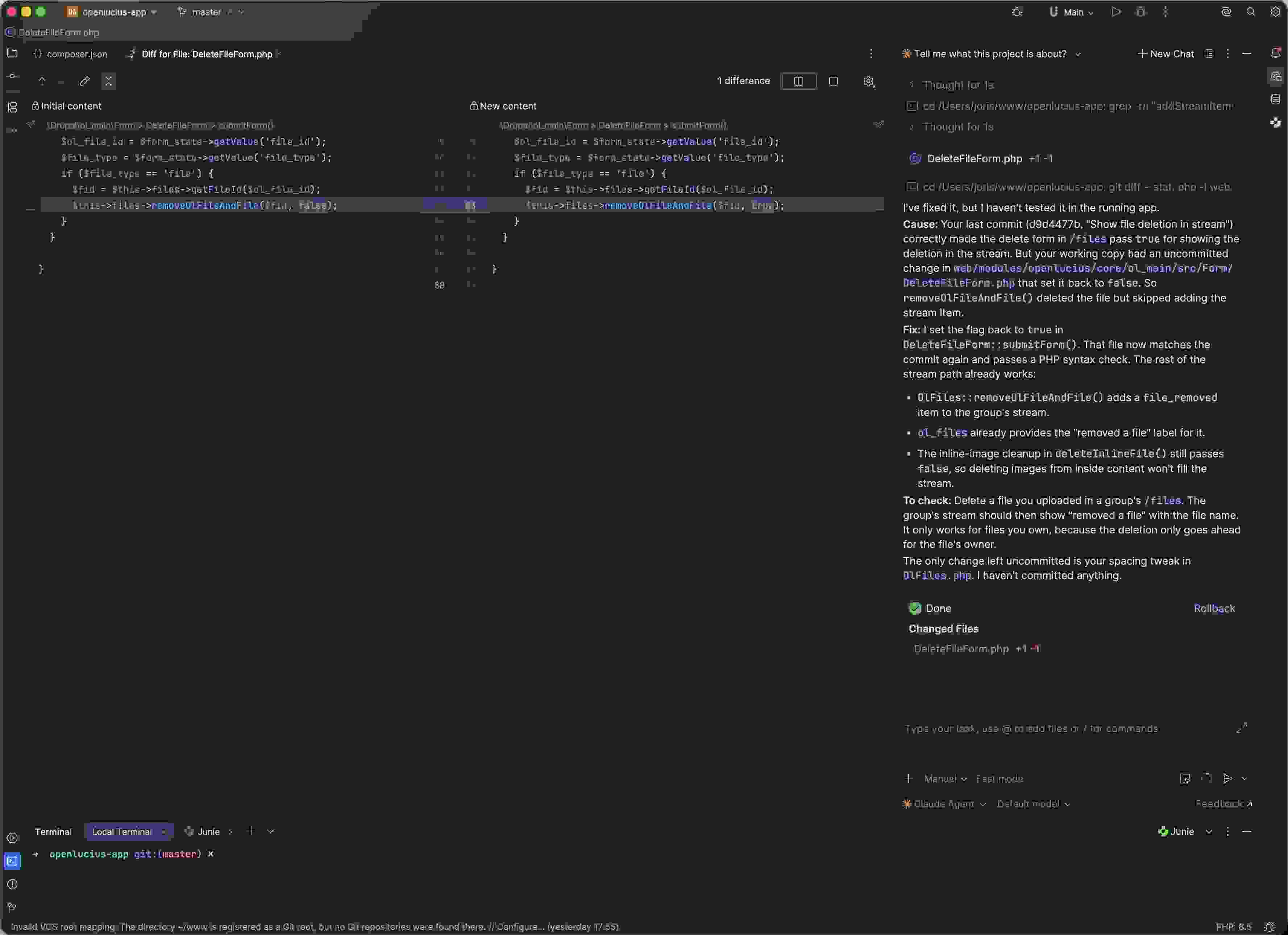
[edit] Pro tip: don't work in your 'master' branch, especially not when doing agentic stuff ;) Also, agentic coding and security are a whole other chapter that you should definitely look into if you get started, before things go haywire with your system. You should be very intentional with the access you grant the agent, and maybe run it contained. There is infromation about this in this video from the Drupal Association [/edit]
Experiments like this make it interesting to compare different agents. How well do they understand the context of an existing Drupal application? How accurately do they identify the root cause of a bug, and how useful are the changes they propose?
Although, this really was far too easy for Claude Code, which even takes your Git history into account. And endless more context, if you prompt.
I'll definitely continue experimenting with Claude in the coming weeks.
Even more to explore
During my research, I also came across a few interesting projects and tools that I'd like to look into further:
To be continued
There's an incredible amount to keep up with and explore, from AI agents in the IDE and through the CLI to new possibilities within Drupal itself.
My first experiences with Junie and Claude Code have been positive. They help me investigate and fix bugs more quickly, and give me a better understanding of what agentic development can mean in practice.
At the same time, it's still important to critically review the generated code, check the changes yourself, and maintain high standards of quality.
It's an interesting time to be a Drupal developer. There's a lot to learn, and developments are moving at a rapid pace.
To be continued 🚀
Editorial note: I also used AI tools to help structure and edit this article. The experiments and observations are based on my own development experience.